
Friday, 31 October 2014
DAY 20
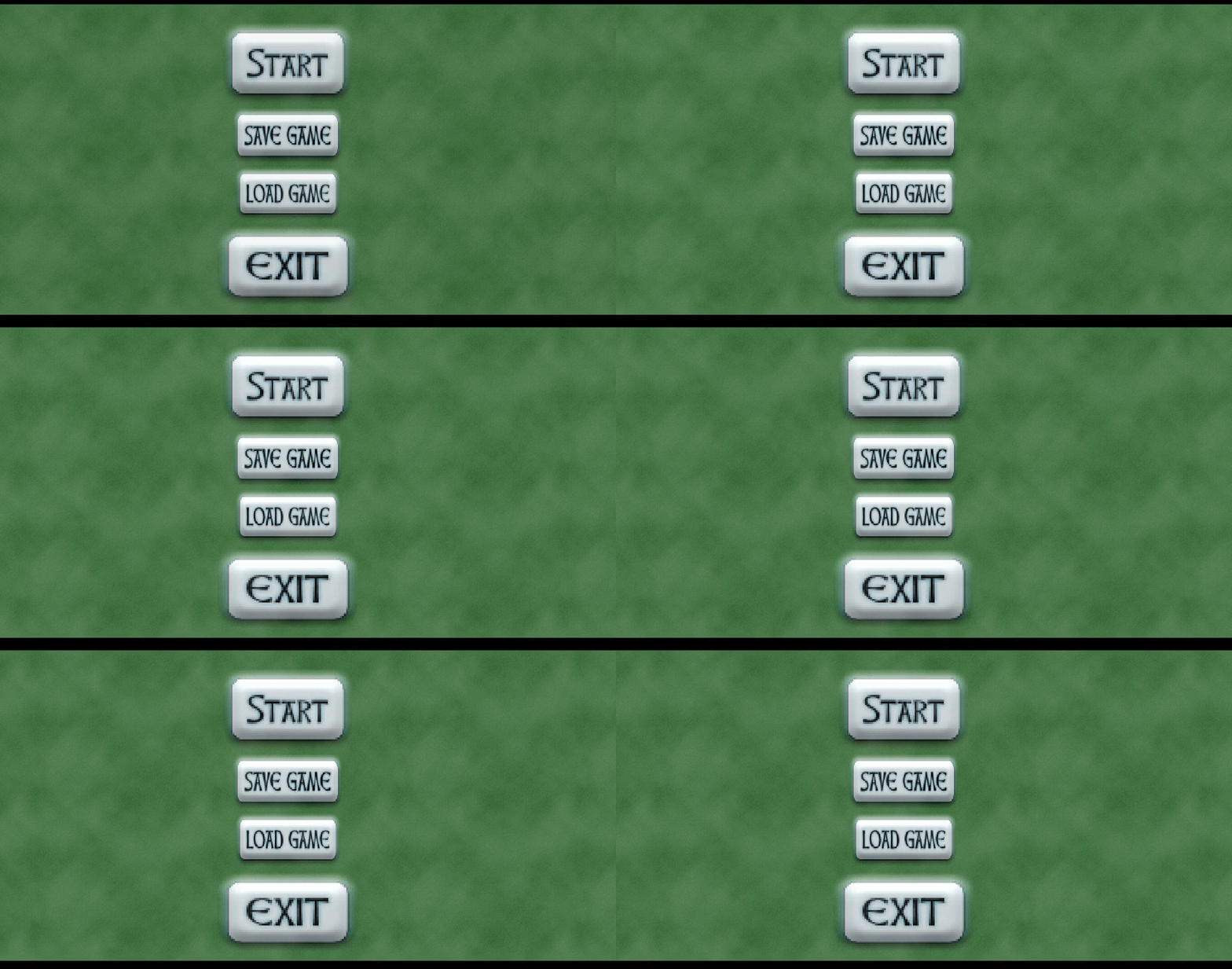
Today I created a very basic main menu that I am going to add on to next day. I also started made all the buttons on the main menu work except for the save and load for obvious reasons. I am going to wait for Ty to create some entities such as bushes and grass and stuff, so I can start doing level design. The reason I am not doing the design is because it wouldn't match the style of Ty's, and would look weird.

Thursday, 30 October 2014
DAY 19
Today I started searching through the internet to find sound effects and stuff for the game. I found a bundle of a bunch of sounds in a zip file. I then attempted for the last time to create an NPC for the game, and failed. Ty has insisted that he do all the sprites in the game, which is quite overwhelming. Anyway, I then started to create a main menu with the fog effect I use in like all my games because it's so cool.
Wednesday, 29 October 2014
DAY 18
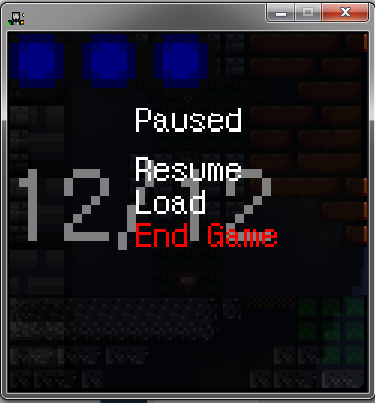
Today I decided to stop working towards the pause/load functions on the pause menu because I have no idea how to do it anymore and I'm going to come back to it later. It will probably be one of the last things I do for the primary goals. One thing that we will need for the game is music and sound. So I think I will be finding/creating music and sound for the game. I googled "8-bit music creator" and a few results came up that I sort of played with. Some are too complicated and some are just for fun and I can't download my results. I found a few royalty free tracks that we could use.
Tuesday, 28 October 2014
DAY 17
Today I began designing my pause screen menu. I used cooltext to create the save,load,continue,and exit buttons. I made a separate room for the pause menu because drawing the whole menu would be waaay too hard for my skills. So I added all the functions to the buttons such as ending the game for the exit button, restarting the game when clicking continue, which could be a problem, but i'll figure it out. I used the drag and drop save game and load game functions, set it all up, then found out that those functions are completely obsolete in this version... So I searched through multiple videos and articles on the internet and found a few videos, one of which was good, but I didn't get to finish it. The video is HERE.

Monday, 27 October 2014
DAY 16
Today I followed along the article from last class, and used all the code, but it says there was an error in the code. Something like sprite_delete does not exist. So I moved on and came across a loading screen video. I was wondering how to make a custom load screen instead of: made with game maker studio. So I watched part of the video and it saw a bunch of steps to make the loading screen work and it would end up just slowing down my game. I found a video that makes the pause screen pop up in front of the room and still use objects. I used that and now whenever I run my game, it stops responding. The video is HERE.

Thursday, 23 October 2014
DAY 15
Today I attempted to finally create a decent pause screen. I looked at several different videos, and most of them only included pausing the game and showing a message that says game paused. I want a screen that has buttons to click such as: continue,load game, save game, etc. I also don't want it to be a whole separate room and want to make it so it blurs out the current room and goes to the pause screen. The closest thing I found was this article thing though I haven't seen how It will turn out. Click HERE for article.
Wednesday, 22 October 2014
DAY 14
Today I started working on a goblin sprite for the game. I started by googling rpg goblin or something and examined the different ways it could be created. I found one and sort of copied it but changed the style and a few other things. At the end of it we realized that if we were to have two people doing the sprites in the game, it would be different styles and wouldn't look right, so Ty is going to do the sprites.

Tuesday, 21 October 2014
DAY 13
Today I started working on a new enemy of multiple in the game. First I had to create a strip of different images I modified and put together to make the illusion of a moving object, though it is only about 20 different images flashing. I had to make it look like this enemy was trying to bite the player, and to do that I had one image of him starting to open his mouth, and gradually opening it over the course of 20 images, then closing it and infinitely repeating.

Monday, 20 October 2014
DAY 12
Today I came across a new upload from Shaun Spalding. It was a tutorial video for menus in Game Maker which was exactly what I was going to do next. So I followed along the 30 minute video and did everything he did. After about an hour, I ran the game to find out that the menu doesn't show up and I have no idea why. I checked all the code and the script and it was the same as Shaun's, so I am going to wait for him to post a download link to his so I can see what is different. Click HERE for video.
Friday, 17 October 2014
DAY 11
Today I finished up on the inventory screen and sent both of the objects through skype send file to Ty, to add it to the main game as he is the holder of the main game. Then I realized I had nothing left to do, so I figured there is going to be a lot of sprites and art in the game so I started on one. One of the most general sprites would be a tree, so I started on creating a tree. Then I spent waaaay too much time making it proportionate and perfect, that it took me the rest of the class to create, and set the borders for it.

Thursday, 16 October 2014
DAY 10
I spent some time on the loading/saving functions and had very little success. It just plain out made my brain hurt with all the stuff happening, I don't know. I decided to just skip it for later until we have rooms up and running and things like that. I moved on to the inventory screen which is significantly easier than the loading and saving. I followed quite a long video but instead downloaded the game file, though I'm not going to use his game, just the inventory function, and I will customize it a little. It is fairly easy to move around the inventory and customize it how you want. The functions of it are that you can drag objects into it, and it is opened by "e". The video can be viewed HERE.
Wednesday, 15 October 2014
DAY 9
My brain hurts after today, that's what I'll say instead of why it does. Anyway, today I began working on the pause screen, which is very simple to do: create a room, add objects with sprites of continue,load,save etc. After I did that, I had to start on the save/load game function, this is why my brain hurts. I followed along many videos, though one that I didn't scrap, which is HERE. Soooo many sprites, and objects, it hurts.

Tuesday, 14 October 2014
DAY 8
Today was pretty much the first day of the group "RPG" game development. I needed to start working on a Save game/Load game function, so I searched it up on YouTube, and found a video by Shaun on how to do a basic save game function. I followed all the steps and wrote all the code, though in the end, it probably won't end up getting used as it is too simple for my liking. Click HERE for the video. I attempted to make a smooth feeling movement engine for the player, though failed and scrapped the code. I ended up handing that job over to Ty, and in return I work on the pause menu, and the inventory screen.
Friday, 10 October 2014
DAY 7
After completing my first project; the block plat-former, I am proceeding on to my next project. This is going to be a huge project, and I will be working along-side with two of my friends: TY and DAVID to make it even bigger. The plans for the "RPG" are as follows:
At least 15 story missions
At least 30 side quests
Character animation
Functional combat
Functional enemy AI
At least 17 bosses
A relatively open world
Volume control
Save/load functionality
Different weapons/spells
An inventory screen
(Though we are all working together, we will still be making our individual daily blogs.)
Thursday, 9 October 2014
DAY 6
Here is the download link to my game, it should be a direct download link. To download it click here.
I also added a custom cursor, and a few adjustments to the title screen, and an instruction menu.
(Due to my massive respect to the deaf, I haven't added music to the game.)

I also added a custom cursor, and a few adjustments to the title screen, and an instruction menu.
(Due to my massive respect to the deaf, I haven't added music to the game.)
Wednesday, 8 October 2014
DAY 5
Today I created one of my levels an atmosphere in which makes it feel more gloomy. I added rain and fog which wasn't too hard to do. I just made a sprite with a bunch of transparent lines and set it on a constant loop of falling and recreating itself creating the illusion of rain. I also created a main menu for the game which looks pretty cool. It has a moving background that pans across a cartoon city with fog. I have the title, start game button, and exit game button, which all work when pressed except for the title, it doesn't do anything. I am planning to make an end game title or something but my limit is 5 rooms, which I have already used up. I am going to find a way to do it, probably involving the recreation of the main menu room, just deleting the titles and adding a "The End" title.

Tuesday, 7 October 2014
DAY 4
Today I wanted to add more detail to my plat former so I used an effect to make it look like clouds are moving in the foreground. How I did that was I found a pre-keyed cloud image on Google and imported it as a background in my game. I then went to one of my rooms and clicked backgrounds, then used the cloud background. I set the horizontal speed to 1 so it would create the illusion that there were clouds moving and it was infinite. I then wanted to make the camera follow my player as it moves in a certain room because my level was quite big. I found a video and it was very easy to do. Click HERE for video.

Monday, 6 October 2014
DAY 3
Today I wanted to add some new features for my plat former game so I found a video on Shaun Spalding's channel that showed how to make one-way platformers. Click HERE for the video. I followed along the video with a few mistakes which I easily fixed by rewinding the video and re watching it. Though at the end there was a fatal error code when I try to make the player jump through the platform. I attempted to fix it but had no success, so I saved that for another day and looked at another video. This video showed how to make the enemies not fall of ledges. This was quite easy and I did it pretty quickly. Now I have two enemy objects; one that falls off edges, and one that doesn't. Click HERE for the video.
Friday, 3 October 2014
DAY 2
Today I went back and looked through all my old games from last year and went through the code to kind of refresh my mind from the summer. I came across my last game; the block plat former and thought that I could do a lot with it. I began to play through it and see what I could do, and sort of stole Ty's idea of wall-jumping. Like always, I turn to Shaun Spalding for the problem and found a video containing exactly what I needed. Click HERE for video. I did a bunch of code and easily enough, I did it. Although the player can jump an infinite amount of times on a wall but I can work with it.

Thursday, 2 October 2014
DAY 1
My Mark Prediction for this class:


TOP 3 THINGS I DO ON A COMPUTER:
1. Steam: A virtual database used as a store for video games and extra features include a personal library of your games, and adding friends.

2. YouTube: A database of videos created and uploaded by users of the site, main use is often entertainment, or educational.

3. Skype: A program that basically enables users to talk to each other through their computers. I personally use it mainly for chatting with friends while playing video games with them.

Wednesday, 1 October 2014

Subscribe to:
Comments (Atom)